I am new to OR und would like to start with my first custom-project. What i managed so far:
walked through the various tutorials
use IntelliJ CE and start “Custom Deployment”
login in to manager UI under localhost:8080 with credentials “admin, secret”
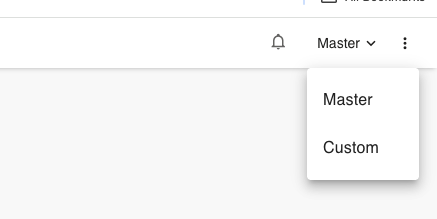
see the manager UI and also see the option to change to “Custom” (top right)
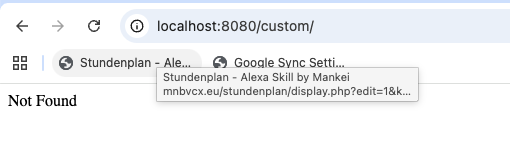
According to the code in custom-project i furthermore expected an additional app to be ready under http://localhost:8080/custom with some custom/demo content. Unfortunately this leads to a 404.
Is my assumption right? What can i expect under which URL?
Many thanks for any helpfult and MANY thanks for this great project you created here!!
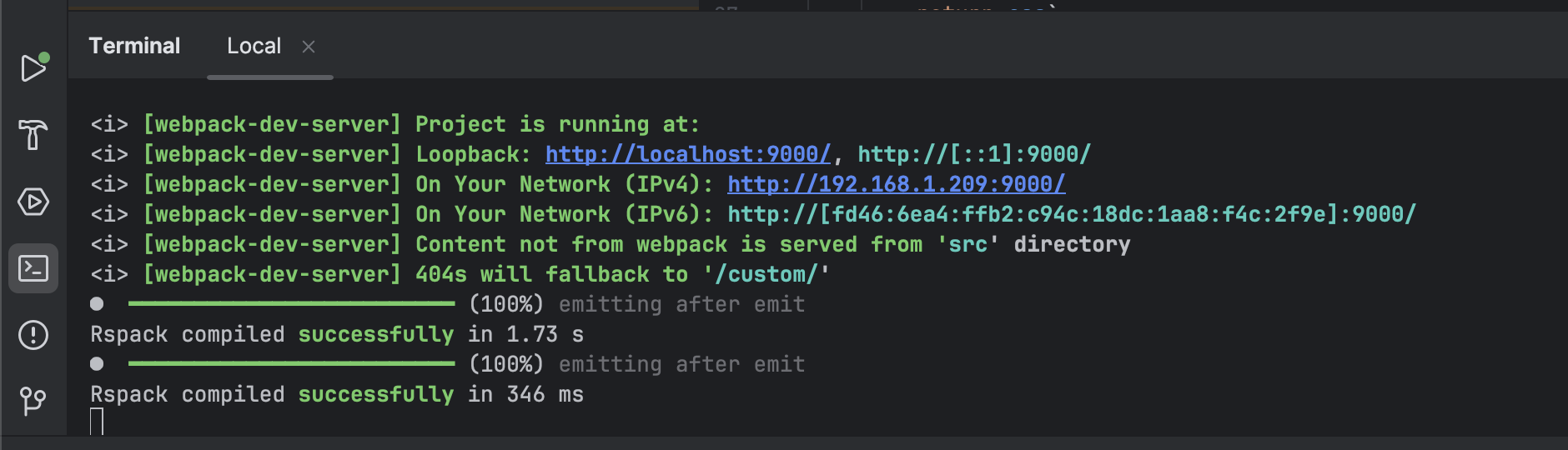
Unfortunately not quite. After starting the project from custom-project/ui/app/custom and calling http://localhost:9000/ the Browser console shows:
custom:49  GET http://localhost:9000/modules/@webcomponents/webcomponentsjs/custom-elements-es5-adapter.js net::ERR_ABORTED 404 (Not Found)
custom:1 Refused to execute script from 'http://localhost:9000/modules/@webcomponents/webcomponentsjs/custom-elements-es5-adapter.js' because its MIME type ('text/html') is not executable, and strict MIME type checking is enabled.
custom:86  GET http://localhost:9000/modules/@webcomponents/webcomponentsjs/webcomponents-loader.js net::ERR_ABORTED 404 (Not Found)
custom:1 Refused to execute script from 'http://localhost:9000/modules/@webcomponents/webcomponentsjs/webcomponents-loader.js' because its MIME type ('text/html') is not executable, and strict MIME type checking is enabled.
To also run the custom app in IntelliJ IDEA the OR_CUSTOM_APP_DOCROOT in the “Custom Deployment” run configuration needs to be updated. I created a PR for this: