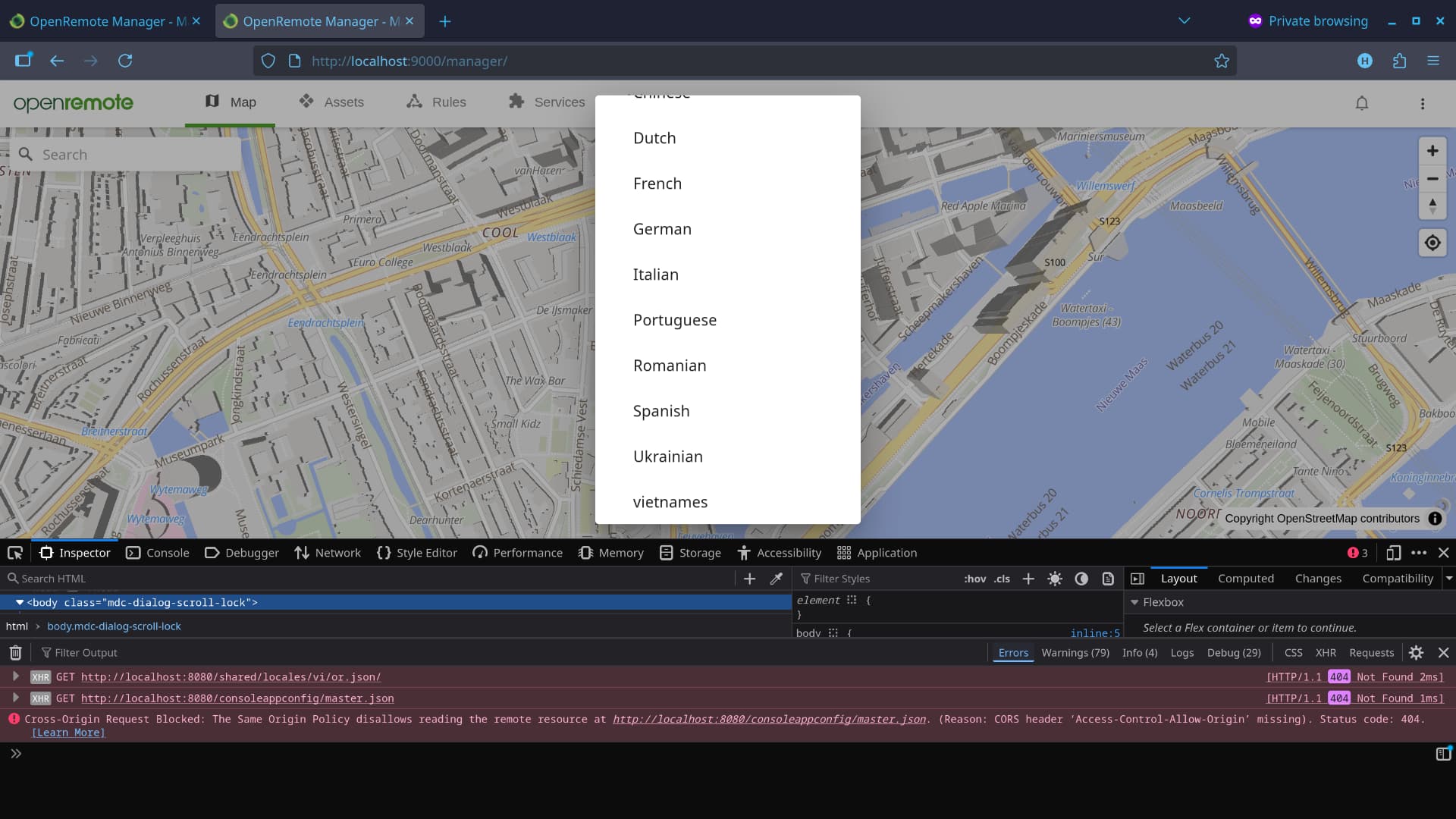
First, I declared the new language in ui/component/core/src/index.ts
export const DEFAULT_LANGUAGES: Languages = {
   ...
    vi: "vietnamese"
};
and added the translation file to ui/app/shared/locales/vi/or.js. The language appeared in the menu, but when I selected it, the console showed errors
GET http://localhost:8080/shared/locales/vi/or.json/ [HTTP/1.1 404 Not Found]
GET http://localhost:8080/consoleappconfig/master.json [HTTP/1.1 404 Not Found]
Cross-Origin Request Blocked: The Same Origin Policy disallows reading the remote resource at http://localhost:8080/consoleappconfig/master.json ...
Then, I changed the translation file directory according to the guide How do I try an unsupported language?](How do I try an unsupported language?), but it still didn’t work. I even tried modifying existing translation files, but nothing translated. Could you please point out where I went wrong? Thank you.
Nothing to worry about here: you’re looking at the right file, and adding a new language correctly.
If you’d open a GitHub pull request like this, it would work fine.
However, the local setup for testing it out might be confusing here…
It looks like you’re running the Manager locally through port 8080.
Changes to the /ui/app/shared/locales directory, don’t get applied to the Java runtime.
As mentioned in the forum post you shared, you’ll first need to compile them using Gradle.
(normally using ./gradlew clean installDist)
As an alternative, you can run a local web server using npm run serve, that runs on port 9000,
which automatically applies the translations when you manually reload the page.
Hi,
I’ve tried everything you mentioned; I ran ./gradlew clean installDist in the root (openremote) directory and npm run serve in the ui/app/manager directory, but nothing happened. I even discovered that when I tried modifying an existing language file, after building, the language file built in the ui/app/shared/build/…/locales directory didn’t reflect any content changes.
Just tested this on my own machine, by executing the same steps:
Adding vi: "vietnamese" to the DEFAULT_LANGUAGES list
Creating a new folder under /ui/app/shared/locales called vi
Copy pasted the Ukrainian file (/uk/or.json) into the new /vi directory. (for testing)
Ran ./gradlew clean installDist
Run the Java runtime of the local OR manager instance using my IDE.
Open the terminal, navigate to ui/app/manager and execute npm run serve
When I opened my browser in http://localhost:9000/manager/,
I was able to select vietnamese, whereafter most of the text was translated in Ukrainian.
So, this is working as expected.
If I navigate my browser to http://localhost:8080/shared/locales/vi/or.json,
it also shows the exact JSON file I have created earlier.
Can you double check for me;
Is the JSON file valid? Invalid JSON files will not load.
Is the Manager Java runtime running? It’s required for serving the JSON file on port 8080.
If you’re running the Manager using Docker, make sure you’ve built a new image first.
(because otherwise the JSON file changes are not applied)
Your browser logs show a request to ... /shared/locales/vi/or.json/,
which is with a trailing slash. Does it respond correctly without the trailing slash?
The default fallback language is English, so if not all keys are defined,
the UI might still look ‘unaffected’ to you.
Thank you, Martin. I didn’t build (forgot to add the --build args) when running docker-compose -f profile/dev-ui.yml up . It’s working perfectly now.
By the way, may I ask: when deploying to production or running with a custom-project template, is it sufficient to just replace the deployment directory, or do I need to use the entire modified openremote directory? Are there any other necessary steps?